
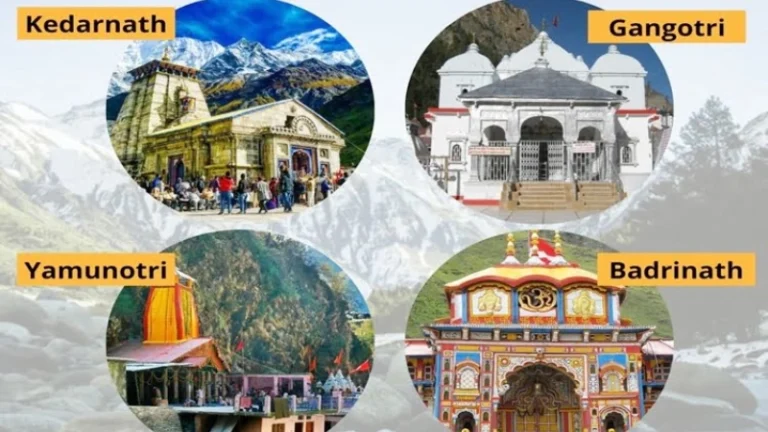
Chardham yatra registration means you tell the government who you are, where you will go, and when. Then, you get an e-pass or QR code. After that, officials can help you in an emergency. This is called the Chardham yatra registration or 4 dham yatra registration. In short, it keeps pilgrims safe and helps the government plan services. First, this Chardham registration is easy. You can do it online on the Tourist Care Uttarakhand portal or by the Tourist Care app. Next, if you cannot do it online, you can register at an official counter in town. Also, the process has a small form that asks basic details like your name, phone, ID, and travel dates. After you finish, you will get a Chardham yatra pass with a QR code. Keep it on your phone or print it. The pass is your proof that you did chardham registration.
Many people also do chardham yatra by helicopter, and they still need registration, because the rules are the same for all pilgrims. Why this matters now? Because all four shrines — Yamunotri, Gangotri, Kedarnath and Badrinath — use the system to track pilgrims and give quick help if needed. Therefore, registration is part of safe travel to the dhams.
Why Registration is Mandatory for Chardham Yatra 2026
Chardham Registration is now required for safety and crowd control. First, the mountains are remote. Second, weather can change fast. So the government asks everyone to register. This helps rescue teams find people if something goes wrong. Also, registration helps manage how many people go to each dham at a time. That keeps the roads and temples safer and cleaner.
Next, Chardham yatra registration allows fast medical help. If someone gets sick on the route, rescue teams can look up the pilgrim’s details. Then, volunteers know who needs help. Registration also helps stop fraud. For example, fake guides and fake passes are common. If you have an official chardham yatra registration, you do not need to pay any middleman for your pass. The official portal gives free Yatra e-passes, and the government asks people not to pay anyone for basic registration.
Finally, Chardham registration helps the government keep the environment safe. With fewer sudden crowds, the mountains stay cleaner. So, register for chardham registration online or at a counter before you start. Use the chardham yatra registration login if you need to check or change your details later.
Who Needs to Register (Individual Pilgrims, Families, Tour Operators)
Every person visiting the four dhams must register. That includes single pilgrims, families, and tour operators who take groups. If you are a guide or a driver, you must register too. Also, if you travel by helicopter or by road, chardham registration is the same. The government uses one registration system for all ways of travel. So even if you plan chardham yatra by helicopter, do the char dham registration online or at the counter.
- Individual pilgrim — register as “Individual.” Fill ID, phone, date, and upload photo.
- Family — use “Family” option to add each family member. This keeps everyone in one record.
- Tour operator — register as “Tour Operator” to add many pilgrims. This helps guides manage group passes.
- Vehicle & driver — if you bring a private vehicle, register the vehicle if asked. Some shrines need a vehicle permit.
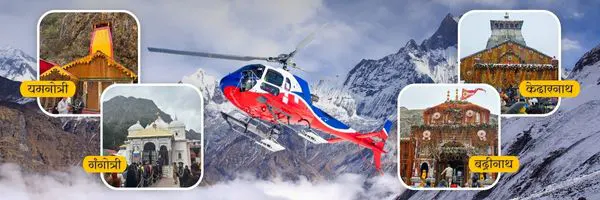
Chardham Yatra by Helicopter – 5N/6D Tour
- Duration
- 6 Days / 5 Night
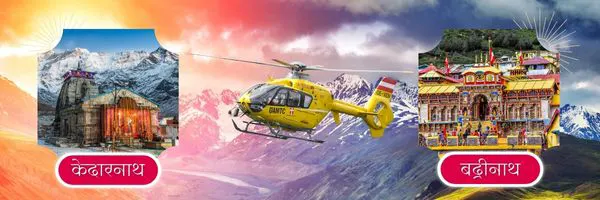
Do Dham Yatra by Helicopter Tour Packages
- Duration
- Same Day
- 4 Days / 3 Night
Online Registration Process for Chardham Yatra 2026
Online chardham registration is the easiest way. First, go to the Tourist Care Uttarakhand site or open the Tourist Care Uttarakhand app on Android or iPhone. Then choose “Register” and pick whether you are an individual, family, or tour operator. Next, fill the form, upload ID and photo, agree to the health declaration, and submit. Finally, download your e-pass or get an SMS. The portal and app are the official route for char dham yatra registration login.
Step-by-Step Walkthrough
Step | Action | Result |
1 | Go to Tourist Care portal or app | |
2 | Click “Register” | Form opens. |
3 | Choose Individual / Family / Tour Operator | Form fields adjust to choice. |
4 | Enter contact details | SMS OTP sent for verification. |
5 | Add pilgrim info and DOB | Saved under account. |
6 | Upload ID scan and photo | Proof saved in record. |
7 | Sign Health Declaration | Confirms fitness to travel. |
8 | Submit | Get URN and e-pass link. |
9 | Download or save e-pass | Carry print or mobile copy. |
Screenshots / App vs Website
- Website (desktop or mobile browser) — good for long forms and printing. Use this if you prefer to see a full form and save PDF easily. Official portal: registrationandtouristcare.uk.gov.in.
- Mobile App (Tourist Care Uttarakhand) — quick and simple. Use the app if you want OTPs, push updates, and to keep the e-pass on your phone. App available on Play Store and App Store.
- Screenshots to keep — take a screenshot of your e-pass QR code and the URN. Also screenshot the confirmation SMS. This helps at checkpoints when networks are weak.
- Tip — if you have a printer, print one copy of e-pass. If not, save the PDF and also keep a screenshot.
Offline (Counter) Registration Process
If you cannot register online, go to an official counter. Counters are set up in many towns like Haridwar, Rishikesh, Uttarkashi, Rudraprayag, Joshimath, Phata, Sonprayag and more. At the counter, staff will help you fill the form, take a photo, and capture fingerprints (if biometric is required). Then you get a printed e-pass or SMS. The counter staff can also help if you are a senior and need a simpler form for chardham registration.
- Visit official Chardham registration counter.
- Give ID and phone number.
- Fill the form with the staff help.
- Provide photo and biometric if asked.
- Get printed e-pass or SMS.
- Keep that pass safe and carry it on the trip.
Locations of Counters
- Haridwar — main counters near Har Ki Pauri and ISBT.
- Rishikesh — ISBT and major bus stations.
- Dehradun — select counters and tourist help desks.
- Uttarkashi — district counters for Gangotri and Yamunotri route.
- Barkot / Phata — Yamunotri counters.
- Sonprayag / Gaurikund — Kedarnath route counters.
- Joshimath / Chamoli / Pandukeshwar — Badrinath route counters.
How to Fill the Form & What to Submit — step by step process
- Open form — on portal or app.
- Choose tourist type — Individual / Family / Tour Operator.
- Enter name and contact — full name, mobile number for OTP.
- Add travel plan — choose which dhams you will visit and on which dates.
- Add pilgrim details — name, age, gender, address for each person.
- Upload ID — Aadhaar, Voter ID, Driving License, or Passport. The portal allows these.
- Upload photo — passport size photo or selfie as needed.
- Health declaration — tick boxes about heart, breathing, pregnancy, etc. This is important for mountain travel.
- Submit — get the URN and e-pass link. Save the PDF and print if you can.
Documents Required for Registration
You need very simple documents for chardham registration. First, a valid Photo ID. Second, a phone number to receive OTP. Third, a photo or selfie for the profile. Fourth, health details. Most pilgrims use Aadhaar or Voter ID. Foreign tourists use passport. At the counter, staff may take your fingerprints or photo.
- Photo ID — Aadhaar, Voter ID, Driving License, Passport.
- Recent photo — passport style or clear selfie.
- Active mobile number — for OTP and updates.
- Health declaration — age, illness history, medicines you take.
- Vehicle documents — if you need vehicle permit, keep RC and driver ID.
Official Portal & Mobile App for Chardham Yatra Registration
- Official portal — registrationandtouristcare.uk.gov.in (Tourist Care Uttarakhand). Use this for chardham yatra registration login and downloads.
- Mobile App — Tourist Care Uttarakhand on Play Store and App Store (search “Tourist Care Uttarakhand”).
- Helpline — official helplines and toll free numbers are listed on the portal for help.
- Email & support — use the portal contacts for queries, and always keep your URN ready.
Website URL – Official chardham registration site: registrationandtouristcare.uk.gov.in. Use this for chardham yatra registration online and for printing your chardham yatra pass.
How to Get Your E-Pass / QR Code After Registration
After you submit the form you get:
- URN via SMS and email.
- E-pass PDF with QR code to download.
- SMS confirmation with link to the pass.
Carry the e-pass on phone or print one copy. If you lose it, login to the portal and download again. At checkpoints, officials will scan the QR code to verify your chardham registration.
Checkpoints and Verification
Checkpoints scan QR codes at main points on each route like Dobata, Phata, Sonprayag, Pandukeshwar, and others. Officials may ask to show your e-pass and ID. Keep the print or mobile pass handy.
Registration Start Dates for Chardham Yatra 2026
Exact opening dates for each dham are set each year and posted on the official pages. For 2026 the temples are expected to open around 20 April (dates often tie to Akshaya Tritiya and Basant Panchami announcements). Always check the official Uttarakhand tourism or temple committees for the final dates. Do not trust random social posts for Chardham registration.
Each Dham: Yamunotri, Gangotri, Kedarnath, Badrinath
- Yamunotri — temple opens in April/May each year. Registration needed for the route that goes via Barkot / Phata.
- Gangotri — opens with Yamunotri on Akshaya Tritiya usually. Register online or at Uttarkashi counters.
- Kedarnath — often opens a few days after Yamunotri/Gangotri, and has dedicated counters at Sonprayag and Gaurikund. Helicopter services have separate booking windows.
- Badrinath — opening date announced on Basant Panchami by priests; register for Badrinath on the official portal or at Pandukeshwar counters.
Fees, Charges & Free Facilities
- Registration fee — the Tourist Care Uttarakhand registration for pilgrims is free. Do not pay any agent for the basic registration or e-pass.
- Extra fees — helicopter rides, accommodation, vehicle permits, or priority darshan services may cost extra from private operators. These are not the same as chardham registration fees.
- Free facilities by government — medical camps, free toilets, free shelters, some shuttle services, and free Wi-Fi zones at key towns during yatra season.
Do’s and Don’ts During Registration & Pilgrimage
Do’s:
- Register online first.
- Keep printed and digital e-pass.
- Carry original ID and a copy.
- Be honest on health declaration.
- Pack simple clothes and first-aid.
- Respect local rules and temple norms.
Don’ts:
- Don’t pay anyone for your e-pass.
- Don’t litter.
- Don’t trust random guides without official ID.
- Don’t separate from your group in bad weather.
Safety & Tracking Features
- Real-time tracking — QR scans at checkpoints track pilgrim movement so rescue can reach you.
- Medical help — Chardham registration links you to medical camps by name and phone.
- Crowd control — authorities plan bus and shuttle services based on registrations.
- Lost & found — a registered URN helps reunite lost pilgrims with their families.
Common Scams to Avoid Related to Chardham Yatra Registration
- Fake registration sites — only use registrationandtouristcare.uk.gov.in or the Tourist Care app.
- Paid passes — government registration is free. Don’t pay for a basic e-pass.
- Fake QR codes — scan only official codes at counters.
- Overpriced local services — check rates at official boards.
Conclusion & Your Next Steps
First, open the official portal and make an account for your chardham registration. Next, plan your travel dates and gather ID photos and documents. Then, register as an individual or family and download the e-pass. Also, avoid private sites asking for money and check chardham yatra by helicopter or vehicle permit needs if you plan to use them. Finally, add these questions and personal notes to the text so the article reads like you — ask yourself: “When did I last travel in mountains? Who will come with me? What are my health worries?”
Frequently Asked Questions (FAQs)
Q.1 Is Chardham yatra registration mandatory?
Yes, registration is required for pilgrim safety and tracking.
Q,2 Where do I register for Char Dham?
On registrationandtouristcare.uk.gov.in or Tourist Care App, or at official counters.
Q.3 Is there any fee for the e-pass?
No, basic registration and e-pass are free.
Q.4 What ID is accepted?
Aadhaar, Voter ID, Driving License, Passport.
Q.5 Can a tour operator register a group?
Yes, there is a Tour Operator option to register multiple pilgrims.